Positive pay
Positive pay protects your checks against duplicate presentment, unauthorized deposit, and alterations. It’s built into every Check Transfer and Checkbook.
When you create a Check Transfer or Checkbook, Increase records information about each check. When a check is deposited at another financial institution, the depositing bank sends Increase the account number, check number, amount, and an image of the check via Check 21. The Check 21 details are compared against Check Transfer and Checkbook records for:
- Check number verification, rejecting checks that don’t match a pre-registered check.
- Amount verification, rejecting Check Transfers deposited for the wrong amount.
- Duplicate presentment protection, rejecting checks that have already been deposited.
- Stop payments, rejecting checks you’ve stopped.
- Payee name analysis, flagging checks whose “Pay To” line has been altered for your review.
About 1% of incoming checks at Increase fail this validation, averaging $3,000 per check.
To help you and your customers monitor their accounts, successful and unsuccessful deposits are available in the Dashboard and API. The Check Decline reason will indicate why our system returned a check deposit.
Check number verification
Fraudsters will steal valid checks and create invalid duplicates by copying some, but not all, of the details. Increase rejects a check unless its account number and check number refer to a check you created.
Amount verification
Your counterparty, or its bank, may transcribe the check amount incorrectly. If a Check Transfer is deposited for a different amount than specified, Increase rejects it with amount_mismatch. The counterparty should re-deposit for the correct amount.
This feature does not apply to Checkbooks since the amount of a handwritten check isn’t known to Increase ahead of time.
Duplicate presentment protection
Fraudsters may find deposited checks (in the trash, on a desk in the office) and attempt to re-deposit them! Or, your counterparty may make a mistake and deposit it twice. Increase rejects a second deposit of the same check with a reason of duplicate_presentment.
Stop payments
If you stop a Check Transfer or a Checkbook Check before it’s deposited, Increase rejects any later deposit attempt with a reason of stop_payment_requested.
Payee name analysis
Increase compares the “Pay To” line on the deposited check image against the recipient name you gave when you created the Check Transfer. The two can differ for a few reasons:
- The recipient crossed out or amended the “Pay To” line so their bank would accept the deposit, for example because the printed name doesn’t exactly match their account.
- A fraudster altered the “Pay To” line to themselves.
- For checks you print yourself, the name you printed on the check doesn’t match the name you provided to Increase.
Increase uses artificial intelligence to spot these differences. The result is reported in the Dashboard and the Inbound Check Deposit payee_name_analysis field.
A does_not_match result isn’t rejected automatically. Increase does not have the context on your customers to tell fraud from expected behavior. For some users, over half of altered checks are deposited by the intended recipient. Your team should review these checks and make the determination. For example:
- A check written to
Ian Crease Accounting Servicesaltered toIan Crease. - A check written to
Crease Investment Fund Series 7deposited toCrease Investments. - A check written to
Alexander Grahamedited toAlexander Graham Bell.
Even when flagging seemingly obvious fraud like a line being changed from ABC Consulting Services to Eve Evilson, we prefer you to make the decision to return the check. Increase does not have the context on whether Eve is (for example) a sole proprietor doing business as ABC Consulting.
For most customers, fewer than 1 in 5,000 checks need investigation.
Handling mismatches
When a Check Transfer is flagged as a name mismatch, you’ll get a Webhook of type inbound_check_deposit.created. You can use this indicator to trigger an alert on your end.
From there, your team can review the deposited check in the dashboard and compare it to the check you issued. You can also research the counterparty. If you want to return the check, you’ll need to decide within 7 days. You can return a check in the Dashboard or set up your internal tools to call the appropriate API endpoint.
If you want to honor the check, no action is required.
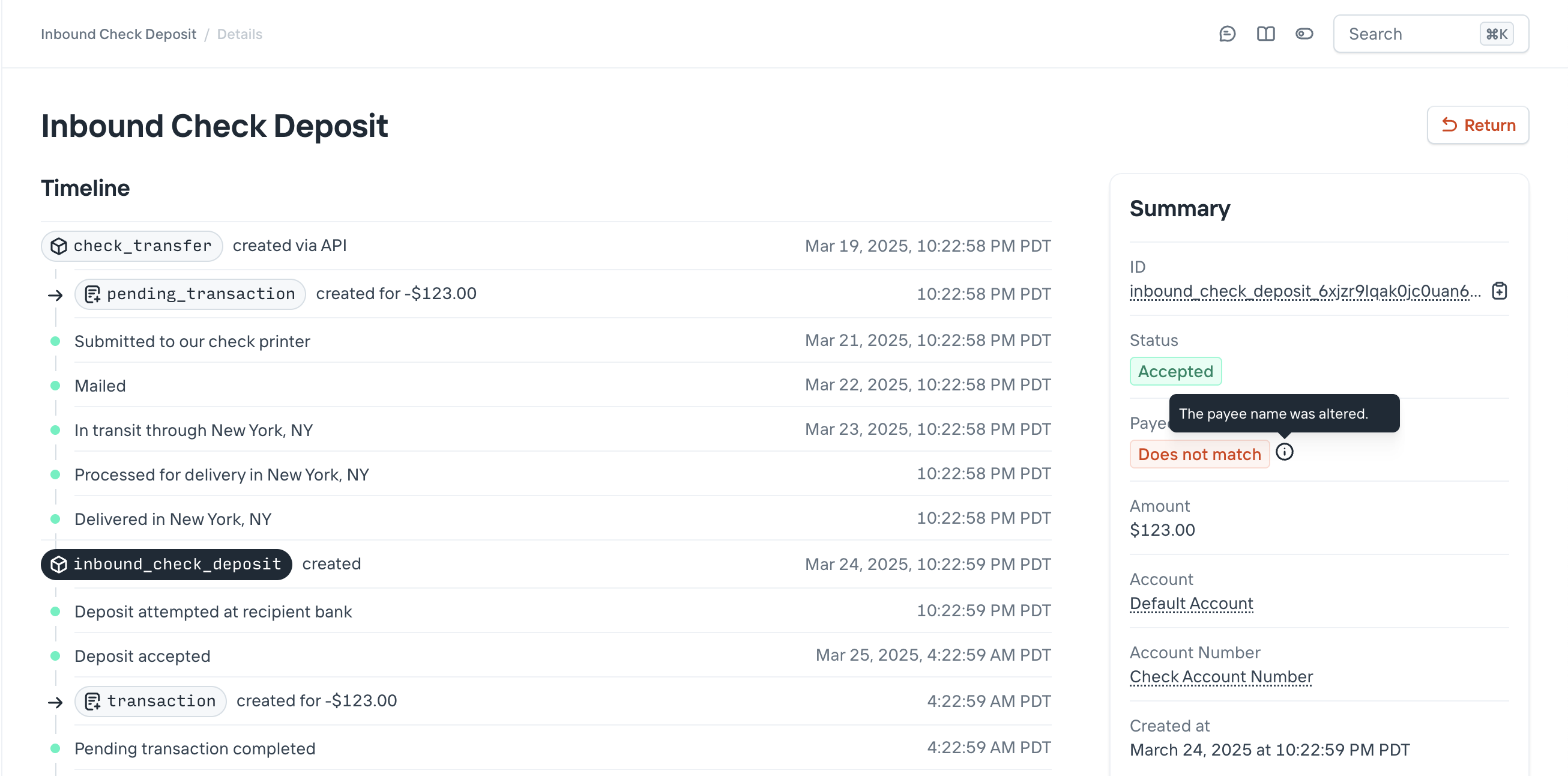
In the dashboard, you have access to all the relevant data: the original, printed pay-to name, the incoming check scan from the depositing bank, and a button to return the check if you determine it’s fraudulent.